It's insane how this is an issue. Or is it only me? Let's start with clean desktop, e.g. all windows either closed or minimised. Let's now open any app, say, Terminal. Now open another app, say Finder. Minimize Finder. Roll your eyes. Where did the focus go? Why is this happening? Why can't Apple just stick to productive behaviour and re-focus first app?
Mac - restart after update
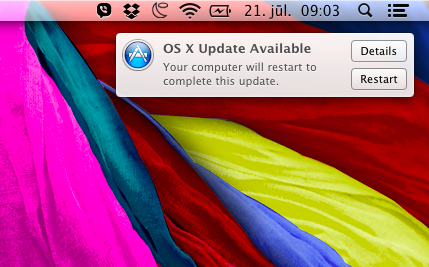
So when exactly will you restart, Mac? Do you count seconds somewhere under the hood? Do I need to worry about saving my stuff? How do I hide this popup? After some time it disappeared by itself and my mac never restarted. Strange.
Mac - custom keyboard layout
Here is a tip that could potentially save you several hours (Mountain Lion): if you have custom keyboard layout, put it in /Library/Keyboard Layouts and NOT in /System/Library/Keyboard Layouts. I know you shouldn't put stuff in System directories, but still... misleading.
BTW: Ukelele just made my life with Mac a little easier (while Mac itself took 2 hours from me by being inconsistent)
Laptops
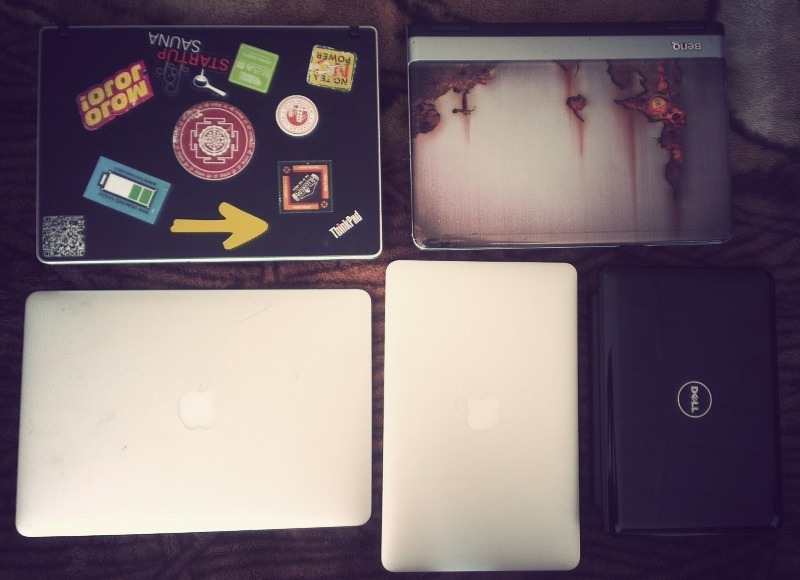
This is how many laptops are available when I visit my parents. Two are sister's, three mine. All in working condition.
Mac's Finder - inconsistencies
Just a reminder to everyone: I'm using Mountain Lion and I haven't used any previous osx before.
So there is this really annoying bug. As we all know it, Apple loves using real-life paradigms in their software. And one of these is spatial finder. Fortunately for people like me, who loves productivity and cleanliness, instead of gazillion open windows, there is also setting to use navigational style. And it even is the default one. But there are times when this spatial metaphor is forced upon user (like when browsing my external HDD). This magical setting is called "Always open folders in a new window". As you can see, this isn't strictly spatial/navigational setting, as Apple can only promise us it will open windows in new windows every time, but not the other way around. But to me, it really feels like a very annoying bug.